

Introduction
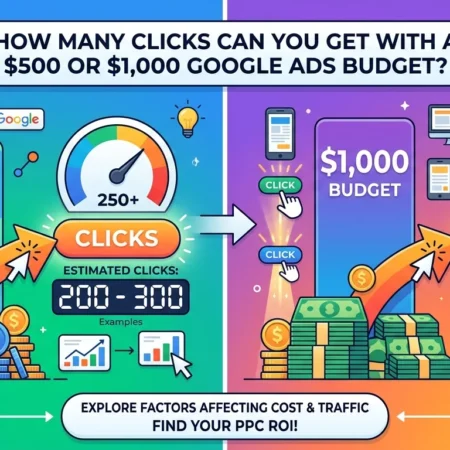
A $500 Google Ads budget can generate anywhere from 50 to 500 clicks if your average cost per click (CPC) falls between $10 and $1. A $1,000 budget could generate approximately 100 to 1,000 clicks under the same assumptions. These are mathematical examples, not guaranteed results or verified industry averages.
For Australian businesses, this article uses Australian dollars (A$). The same calculation works in other currencies, but actual click prices depend on your market, keywords, location and campaign settings.
The key factor is your average CPC. If you pay A$2 per click, a A$500 budget can buy approximately 250 clicks. At A$5 per click, it buys around 100 clicks. At A$10 per click, it buys only 50 clicks.
This is why using a Google Ads CPC Calculator before launching a campaign can help you make better budgeting decisions. Instead of guessing how much traffic your money will generate, you can compare different click-cost scenarios and estimate how many visitors might become leads or customers.
In this guide, we break down the expected clicks from A$500 and A$1,000, explain how to calculate CPC, show how conversion rates affect results and share practical tips for Australian small businesses. We also explain how Scalvia’s Google Ads services may fit into your campaign planning.
Quick Answer: How Many Clicks Can $500 or $1,000 Buy?
The number of clicks depends on your average CPC. The table below shows how the two budgets perform at different assumed click costs.
| Assumed average CPC | Clicks with A$500 | Clicks with A$1,000 |
|---|---|---|
| A$1 | 500 | 1,000 |
| A$2 | 250 | 500 |
| A$3 | 166 | 333 |
| A$5 | 100 | 200 |
| A$8 | 62 | 125 |
| A$10 | 50 | 100 |
| A$20 | 25 | 50 |
Figures are rounded down to whole clicks where appropriate. They assume the full advertising budget is spent at the stated average CPC and exclude management fees and other expenses.
The takeaway: Doubling your budget can approximately double your clicks if your average CPC and other conditions remain unchanged. However, it does not automatically double your leads, sales or profit.
Google’s official advertising budget guidance explains how average daily budgets and spending limits work. Actual traffic also depends on keyword demand, bids, campaign quality and auction conditions.
1. How Does Google Ads Calculate Clicks?
Google Ads lets advertisers choose a budget and use different bidding strategies to pursue their campaign goals. In CPC-based advertising, you pay for eligible clicks, with actual costs determined by the auction rather than by a universal fixed price.
The basic formula for estimating clicks is:
Estimated clicks = Advertising budget ÷ Average CPC
For example, if your budget is A$500 and your estimated average CPC is A$2.50:
A$500 ÷ A$2.50 = 200 clicks.
If your budget is A$1,000 at the same CPC:
A$1,000 ÷ A$2.50 = 400 clicks.
These calculations help you forecast traffic before launching a campaign.
What is average CPC?
Average CPC is the total cost of your clicks divided by the number of clicks received.
Average CPC = Total click cost ÷ Total clicks
If your campaign spends A$750 and receives 250 clicks, your average CPC is A$3.
Average CPC differs from maximum CPC. Your maximum CPC bid is the amount you are willing to bid for a click under a manual CPC setup, while actual click charges may be lower. Automated bidding strategies work differently, so your campaign settings matter.
For additional details, see Google’s Average CPC explanation.
2. How Many Clicks Can A$500 Generate?
A A$500 budget can generate a useful amount of traffic for some tightly targeted campaigns, but the number of clicks depends heavily on your keyword costs.
Here are three illustrative scenarios.
Scenario A: Low average CPC
Assume your average CPC is A$2.
A$500 ÷ A$2 = 250 clicks.
This scenario could give a small business enough traffic to begin evaluating its ad messaging, landing page and keyword relevance, depending on search demand and conversion volume.
Scenario B: Moderate average CPC
Assume your average CPC is A$5.
A$500 ÷ A$5 = 100 clicks.
Your budget buys fewer visitors, so each click becomes more important. Relevant keywords and a well-designed landing page can help you make better use of the available traffic.
Scenario C: High average CPC
Assume your average CPC is A$10.
A$500 ÷ A$10 = 50 clicks.
This may be challenging if your business needs a large volume of enquiries to generate enough customers. However, 50 highly relevant clicks can still be useful if the service has a strong conversion rate and a high customer value.
Is A$500 enough to test a campaign?
It can be, especially when you focus on one service, a defined geographic area and a small group of relevant keywords.
However, if clicks are expensive or your sales cycle is long, A$500 may not generate enough data to draw reliable conclusions. Before launching, estimate the likely CPC and decide what result would make the test worthwhile.
3. How Many Clicks Can A$1,000 Generate?
A A$1,000 budget provides twice the advertising spend of A$500. If average CPC remains unchanged and there is sufficient search demand, it can generate approximately twice as many clicks.
Consider the following examples.
At A$2 per click
A$1,000 ÷ A$2 = 500 clicks.
This gives you more traffic to assess keyword performance and test different landing-page elements, provided the traffic remains relevant.
At A$5 per click
A$1,000 ÷ A$5 = 200 clicks.
For some small businesses, this may offer a more useful testing opportunity than a A$500 budget. Whether it generates enough conversions depends on your website and campaign goals.
At A$10 per click
A$1,000 ÷ A$10 = 100 clicks.
The larger budget buys more traffic than A$500 at the same CPC, but the campaign still needs to convert visitors into profitable customers.
Does a bigger budget always produce more clicks?
Not necessarily in a perfectly proportional way. Increasing your budget may allow more eligible searches to be captured, but your results can change as the campaign reaches different auctions, times or audiences.
Your actual CPC may also fluctuate, and the available search volume may limit the number of clicks you can obtain. Google provides forecast tools to help estimate these differences before you commit to a budget.
4. How to Use a Google Ads CPC Calculator
A Google Ads CPC Calculator helps you estimate how much traffic a particular advertising budget might generate. A Cost Per Click Calculator is especially useful when you want to compare a A$500 test with a A$1,000 campaign.
Follow these steps to estimate your potential clicks.
Step 1: Choose your advertising budget
Decide whether you want to test with A$500, A$1,000 or another amount. Use a figure your business can afford without putting essential operating expenses at risk.
Step 2: Research your keywords
Open Google Keyword Planner and research the search terms your potential customers use.
Set the appropriate Australian locations and language. Review available bid estimates, search information and forecasts for your keyword list.
Step 3: Estimate average CPC
Choose a working CPC assumption based on the available research. For example, compare scenarios using A$2, A$5 and A$10 per click.
These values are examples for modelling purposes, not predictions for every industry.
Step 4: Calculate estimated clicks
Divide your budget by the assumed average CPC.
For a A$1,000 budget at A$4 per click:
A$1,000 ÷ A$4 = 250 clicks.
Step 5: Estimate leads or sales
Apply an assumed conversion rate to your estimated clicks.
If 250 clicks convert at 4%, your model produces 10 conversions.
Step 6: Calculate the potential cost per conversion
Divide the advertising budget by your estimated conversions.
A$1,000 ÷ 10 = A$100 per conversion.
This calculation helps you judge whether your advertising costs could be sustainable.
What should you know about forecasts?
Google’s Keyword Planner forecast documentation explains that forecasts use historical search data and take factors such as bids, budget, seasonality and ad quality into account.
The figures are estimates, not promises. Forecast accuracy can vary, particularly when targeting a small geographic area or using keywords with limited search volume.
5. How Many Leads Can Those Clicks Generate?
Clicks are only the first step. The business value of Google Ads depends on what visitors do after arriving at your website.
To estimate potential leads, use:
Estimated leads = Estimated clicks × Conversion rate
The following examples assume that a conversion represents a meaningful enquiry or other defined business action.
| Budget and CPC | Estimated clicks | At 2% conversion | At 5% conversion |
|---|---|---|---|
| A$500 at A$2 CPC | 250 | 5 leads | 12 leads |
| A$500 at A$5 CPC | 100 | 2 leads | 5 leads |
| A$1,000 at A$2 CPC | 500 | 10 leads | 25 leads |
| A$1,000 at A$5 CPC | 200 | 4 leads | 10 leads |
| A$1,000 at A$10 CPC | 100 | 2 leads | 5 leads |
Lead counts are expected values rounded to whole numbers. They are hypothetical scenarios, not industry benchmarks or guaranteed outcomes.
Why conversion rate matters
Imagine two businesses each spend A$1,000 and receive 200 clicks.
- Business A converts 2% of visitors, generating four leads.
- Business B converts 5% of visitors, generating 10 leads.
Both businesses receive the same number of clicks, but Business B generates more than twice as many leads.
Improving your landing page, clarifying your offer, making contact details accessible and targeting relevant searches may improve conversion performance. The outcome still depends on the audience and business.
Calculate cost per lead
Cost per lead = Advertising spend ÷ Number of leads
If you spend A$500 and generate five leads, your cost per lead is A$100.
If you spend A$1,000 and generate 10 leads, your cost per lead is also A$100.
This illustrates why doubling the budget does not necessarily improve efficiency. The larger budget needs to generate valuable additional results to justify the extra spending.
6. What Affects Your Google Ads Click Volume?
Several factors determine how many clicks your budget can generate.
Keyword competition
Highly competitive keywords may require higher bids, reducing the number of clicks you can buy with a fixed budget.
Compare relevant keyword options and focus on searches that indicate a clear interest in your service or product.
Search volume
Your budget cannot generate unlimited clicks if relatively few people search for your keywords. A small local service area may have less available traffic than a national campaign.
Review the available search estimates before allocating a large budget.
Location targeting
Targeting a defined area can help reduce irrelevant traffic for businesses that serve specific locations. However, geographic targeting does not automatically make clicks cheaper.
Use locations that match your service area and business objectives.
Ad relevance and landing-page experience
Relevant ads and useful landing pages help visitors understand your offer. Although better landing pages do not guarantee lower CPC, they can help improve conversion performance.
Bidding strategy
Your bidding strategy affects how Google participates in advertising auctions. Strategies designed to maximise clicks differ from those designed to maximise conversions or conversion value.
Choose the strategy that matches your objective, and ensure conversion tracking is correctly configured if you are optimising for business actions.
Budget limitations
Your average daily budget influences how often your ads can participate in auctions. Google may spend more on some days and less on others, subject to its applicable spending limits.
For most campaigns using average daily budgets, Google’s monthly spending limit is generally calculated as the average daily budget multiplied by 30.4. See Google’s official budget guidance.
7. How to Get More Clicks From a Small Budget
If you have only A$500 or A$1,000 to spend, focus on making every click relevant.
Use high-intent keywords
Prioritise searches that suggest the user is looking for a solution, service or product you provide.
Avoid spending your limited budget on broad terms that attract visitors who are unlikely to become customers.
Add negative keywords
Review search-term reports and exclude irrelevant searches using negative keywords where appropriate. This can help reduce wasted spend.
Start with a focused campaign
Avoid dividing a small budget across too many campaigns, locations and unrelated services. Begin with the opportunities most likely to generate commercially valuable traffic.
Improve your landing page
Make sure the page matches the ad, explains the offer clearly and provides an obvious next step. A visitor should not have to search for your contact details or work out what to do next.
Track conversions accurately
Set up appropriate tracking for enquiries, purchases, calls or bookings. Without reliable conversion data, you can measure clicks but may not know whether the campaign is contributing to business growth.
Review actual results before scaling
Compare average CPC, conversion rate, cost per lead and customer quality. Increase the budget when your campaign data supports the decision, not simply because the initial budget has been spent.
8. Is A$500 or A$1,000 Enough for Google Ads?
Either budget can be enough to start testing a campaign, but neither guarantees sufficient traffic or profitable results.
A A$500 budget may suit a narrow campaign with relatively affordable clicks and clear targeting. A A$1,000 budget provides more room to purchase traffic and compare performance, but it may still be limited in a competitive industry.
Before deciding, consider:
- Your expected CPC based on keyword research.
- The number of clicks needed to assess your campaign.
- Your target cost per lead or customer.
- Your conversion rate and gross profit per customer.
- Any management fees or other campaign expenses.
For example, if you can afford A$80 per qualified lead and your website converts 4% of clicks, the corresponding target CPC is A$3.20.
Calculation:
A$80 × 0.04 = A$3.20.
If relevant clicks are substantially more expensive than this, you may need to improve the conversion rate, reconsider the target cost per lead or adjust the campaign strategy.
The best budget is the one that gives you a realistic opportunity to reach your business objectives without exposing your business to unsustainable costs.
9. How Scalvia Can Help With Google Ads
Estimating clicks is a useful starting point, but effective campaign management also involves keyword research, ad creation, targeting, conversion tracking and ongoing optimisation.
For businesses that want professional assistance, Scalvia provides Google Ads services that can be considered when planning and managing paid advertising campaigns.
Before engaging Scalvia, discuss your target locations, monthly advertising budget, business goals and the services included in the proposal. Ask how campaign results will be measured and how often performance will be reviewed.
A practical approach is to estimate your potential CPC, calculate the cost per lead your business can afford and define what success looks like before launching the campaign.
Professional support may help organise and improve campaign execution, but no provider can guarantee a particular number of clicks, leads or sales. Results depend on market conditions, competition, campaign settings and the quality of your offer.
Conclusion: Make Your Google Ads Budget Work Smarter
A A$500 or A$1,000 Google Ads budget can generate very different amounts of traffic depending on average CPC. At A$2 per click, the two budgets could generate approximately 250 and 500 clicks respectively. At A$10 per click, they could generate just 50 and 100 clicks.
Use a Google Ads CPC Calculator to compare different scenarios, validate keyword estimates with Google’s Keyword Planner and calculate how many leads or sales your traffic might produce. Remember that clicks alone do not determine success; conversion rates, lead quality and customer profitability matter just as much.
If you need professional support, Scalvia provides Google Ads services that you can evaluate against your campaign goals and budget.
The objective is not simply to maximise click volume. It is to attract relevant visitors and turn your advertising investment into measurable business results.
How many clicks can A$500 get on Google Ads?
A$500 can generate 250 clicks at an average CPC of A$2, 100 clicks at A$5 or 50 clicks at A$10. Actual results depend on the keywords, competition, campaign settings and available search volume.
How many clicks can A$1,000 get on Google Ads?
A$1,000 can generate 500 clicks at A$2 CPC, 200 clicks at A$5 CPC or 100 clicks at A$10 CPC. These are mathematical estimates, not guaranteed campaign results.
Is A$500 enough to run Google Ads?
Yes, A$500 can be enough to test a narrowly targeted campaign in some markets. Whether it generates sufficient data depends on average CPC, search volume, conversion rate and the business goal.
How do I calculate clicks from a Google Ads budget?
Divide the advertising budget by the assumed average CPC. For example, A$1,000 divided by A$4 per click gives an estimate of 250 clicks.
Will doubling my Google Ads budget double my clicks?
It can approximately double clicks if average CPC, search demand and other campaign conditions remain similar. Actual results may differ because CPCs fluctuate and available traffic can be limited.





No Comment! Be the first one.